> For the complete documentation index, see [llms.txt](https://docs.world.inc/llms.txt). Markdown versions of documentation pages are available by appending `.md` to page URLs; this page is available as [Markdown](https://docs.world.inc/essentials/risk-parameters-and-stats.md).
# Risk Parameters & Stats
## Stats Page
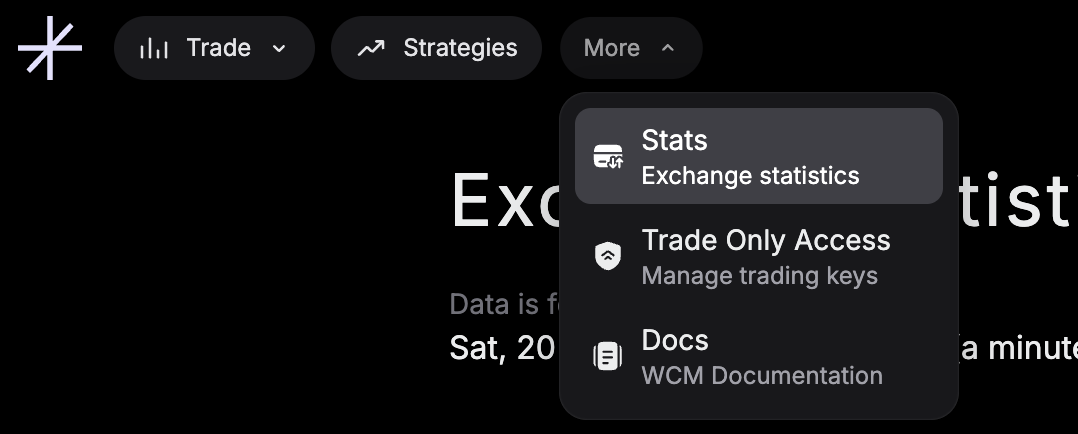
The Stats page, found under More in the top navigation bar, details every piece of information relevant to the transparent operation of WCM, including risk parameters and statistics about the exchange.
## Risk Parameters
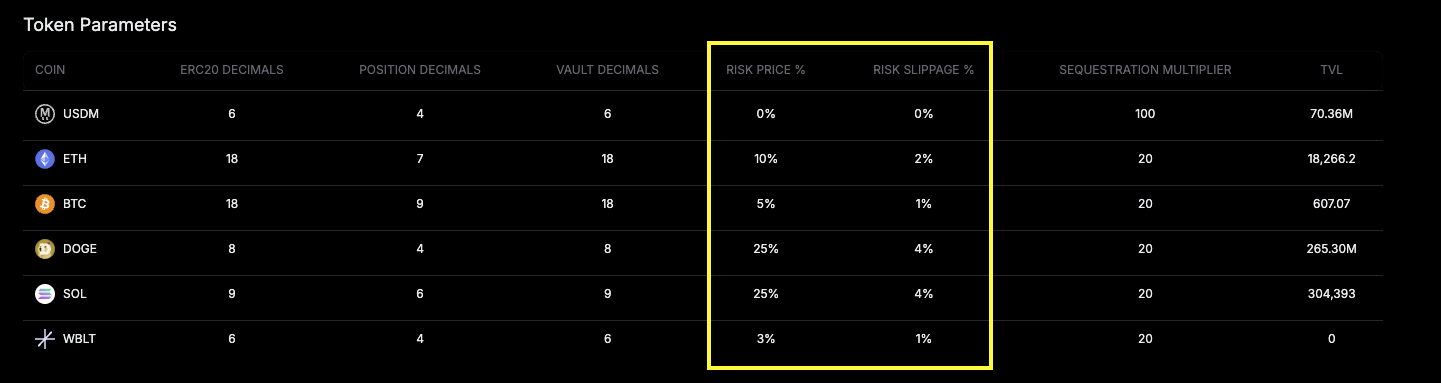
The two most important risk parameters are Risk Price and Risk Slippage. You can see these in a table towards the bottom of the page. Risk Price is an asset volatility factor. Risk Slippage is an asset local liquidity factor.
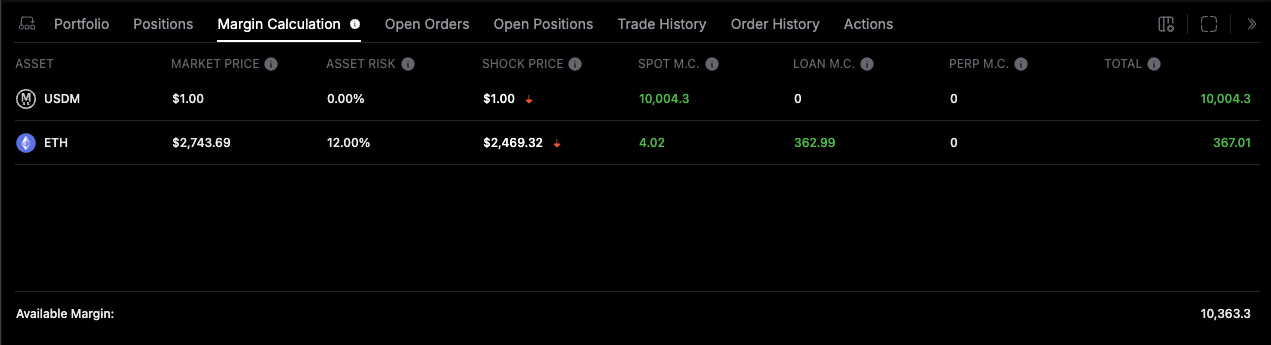
These two values are summed (Risk Price + Risk Slippage) to get the "Asset Risk" value on Margin Calculation tab, which then enters into the Available Margin calculation.
The risk parameters are reviewed quarterly and set to be conservative, slow moving parameters. The intention is that these parameters should be set to manage market conditions far outside of what has been observed historically.
The exact calculation for determining these parameters will be published.
## Exchange Stats
Some things include:
* Fees, including max fees.
* Minimum order quantities. Order sizes are rounded to the minimum quantity.
* The bid/ask spread and number of orders for all markets.
* Risk parameters for each token.
* Addresses and other token specific details.
The page looks like this.
## Uptime
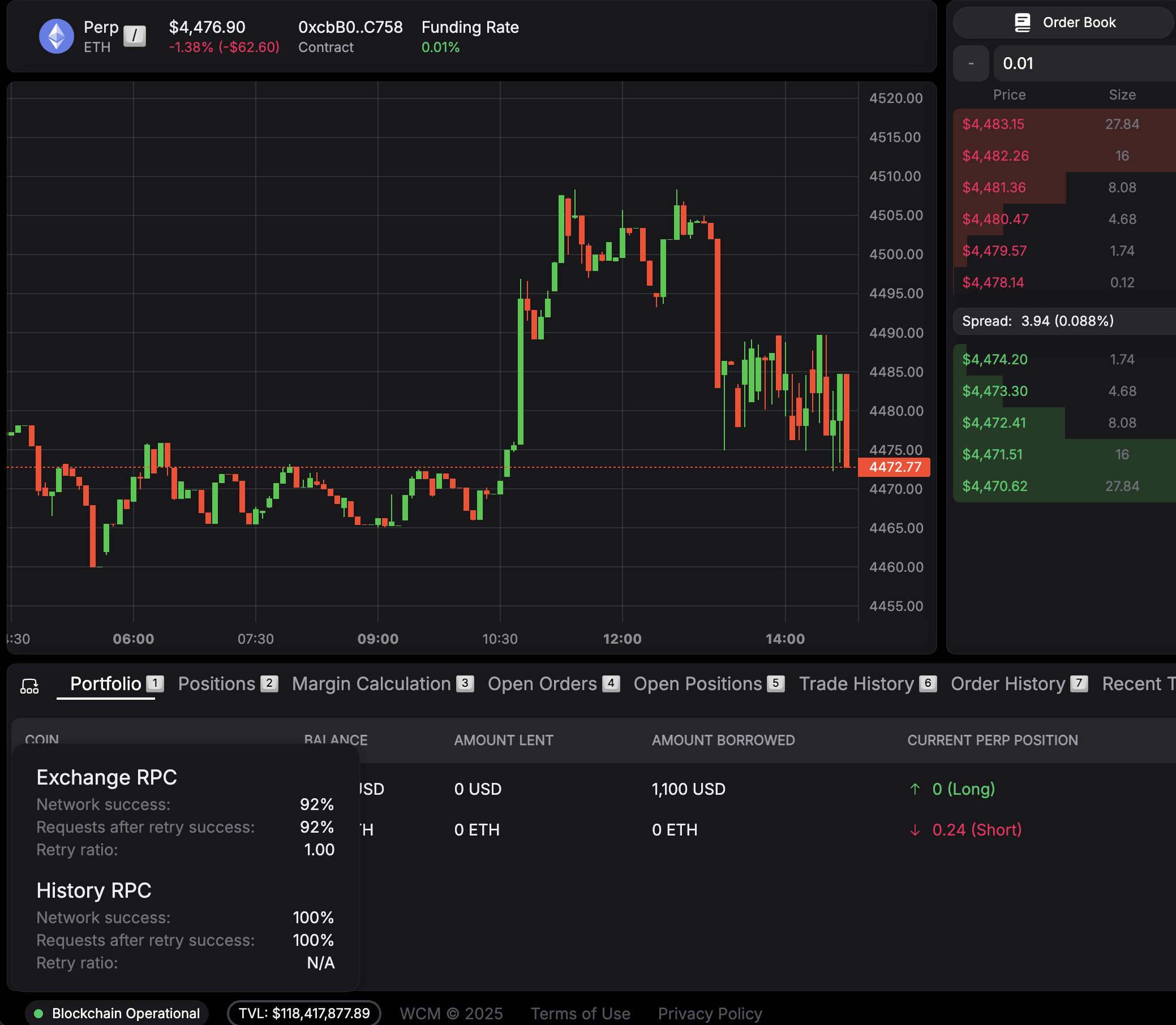
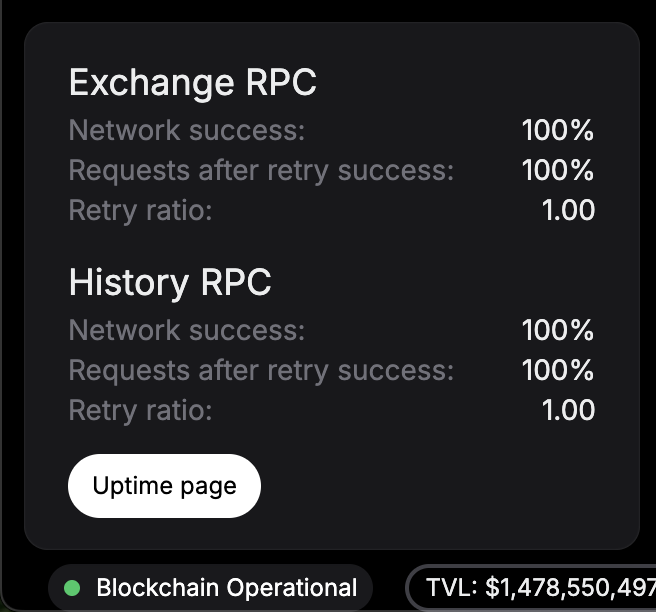
You can see the uptime and network connectivity on the UI, in the lower left hand corner, when you hover your cursor over "Blockchain Operational."
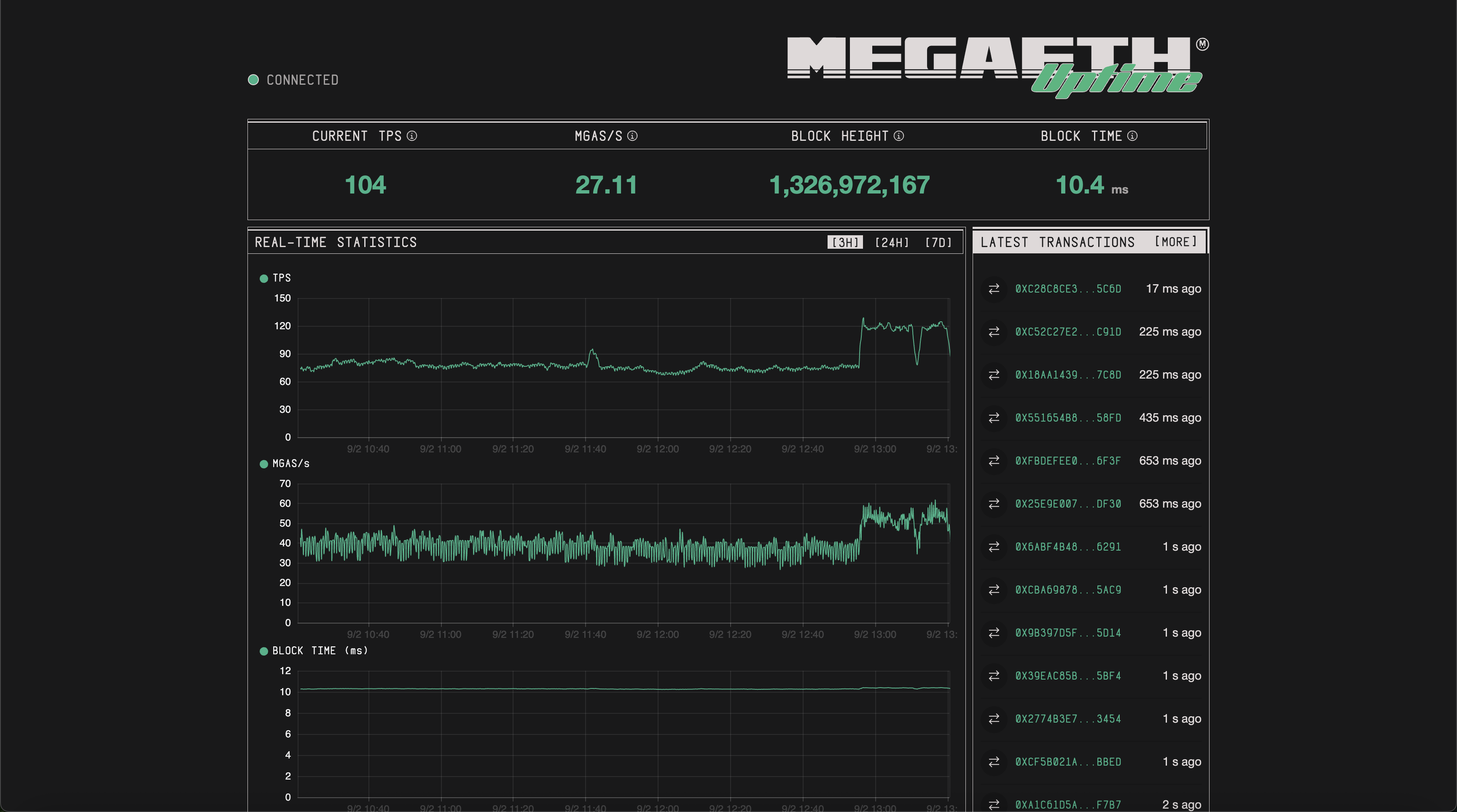
You can find MegaETH's uptime page [here](https://uptime.megaeth.com/).
---
# Agent Instructions
This documentation is published with GitBook. GitBook is the documentation platform designed so that both humans and AI agents can read, navigate, and reason over technical content effectively. Learn more at gitbook.com.
## Querying This Documentation
If you need additional information that is not directly available in this page, you can query the documentation dynamically by asking a question.
Perform an HTTP GET request on the current page URL with the `ask` query parameter, and the optional `goal` query parameter:
```
GET https://docs.world.inc/essentials/risk-parameters-and-stats.md?ask=&goal=
```
`ask` is the immediate question: it should be specific, self-contained, and written in natural language.
`goal` is optional and describes the broader end goal you are ultimately trying to accomplish on behalf of the user. GitBook uses it to tailor the answer towards what is most useful for that goal.
The response will contain a direct answer to the question and relevant excerpts and sources from the documentation.
Use this mechanism when the answer is not explicitly present in the current page, you need clarification or additional context, or you want to retrieve related documentation sections.